Item overview
Hammer raises marked items by one rarity at the end of each day, up to its own rarity. Put the lower-rarity items you plan to keep under its marks before the day ends.
- Timing
- Upgrades happen at the end of the day.
- Recipients
- Marked items.
- Cap
- Hammer cannot upgrade an item beyond Hammer’s own rarity.
Strengths
- Earlier in a run, more day ends remain for upgrades.
Weaknesses
- Items already at or above Hammer’s rarity cannot benefit.
When to pick it
Several useful items are below Hammer’s rarity and days remain to upgrade them.
When to skip it
Your useful recipients have already reached its rarity.
Priorities
- Mark useful items below Hammer’s rarity.
- Arrange recipients before the day transition.
Combinations and guides
 Crafting and mergingPlan upgrades alongside the items you intend to keep or craft.
 Backpack marks, rotation and weapon handsFit upgrade recipients without disabling the current attack.Hammer upgrades: recipients, timing and rarity capsCompare day-end recipients against Hammer’s rarity ceiling.
 Worth Keeping: Common to SuperPlan the Common-to-Super objective without confusing the rarity cap.
A Rare Hammer reaches its ceiling
Hammer is Rare. A Common recipient stays in its marks through two day ends.
- First day end
The Common recipient rises one tier to Uncommon.
 Second day end
The Uncommon recipient rises to Rare.
- Next day end
The recipient is already at the Hammer’s cap, so it stays Rare.
Mark another useful item below the cap, or raise the Hammer’s rarity before expecting further upgrades.
An item already at or above the Hammer’s rarity gains no overnight upgrade, and a Hammer does not upgrade other Hammers. Use its marks for equipment that can still improve, then check the arrangement before the day-end transition.
An overnight upgrade is not worth a placement that disconnects the attack you need to finish the current map.
Hammer is more attractive with several useful recipients and days left to upgrade them. Near the end of a run, or when important gear is already above its cap, immediate combat support may do more with the slot.
Patch 1.0.1
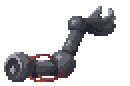
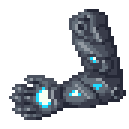
Patch 1.0.1 removes the extra Hammer activation when leaving an event such as the merchant. Plan upgrades around day end, not repeated event exits. The same patch fixes a Hammer-upgraded Robot Arm failing to apply its new effect immediately.
Patch 1.0.3
The Hammer description now says it does not upgrade other Hammers. The patch also fixes Hammer upgrades not updating backpack effects right away, so an upgraded item’s effect applies without leaving and reopening the inventory.
Sources
Last updated 2026-11-19.